

The Vexil 3D Labs Print Cost & Quote Calculator takes the guesswork out of pricing your 3D prints — and the back-and-forth out of quoting your clients. It works out what a print truly costs you to produce, applies your margin, then carries those numbers straight onto a client-ready quote sheet.
This is the extended version of the Vexil 3D Labs Print Cost Calculator. Everything in the standard cost calculator is included, plus a dedicated Quote Sheet, multi-job line items and a full cost and margin breakdown — built for makers who are quoting customers rather than pricing for themselves.
What’s Included
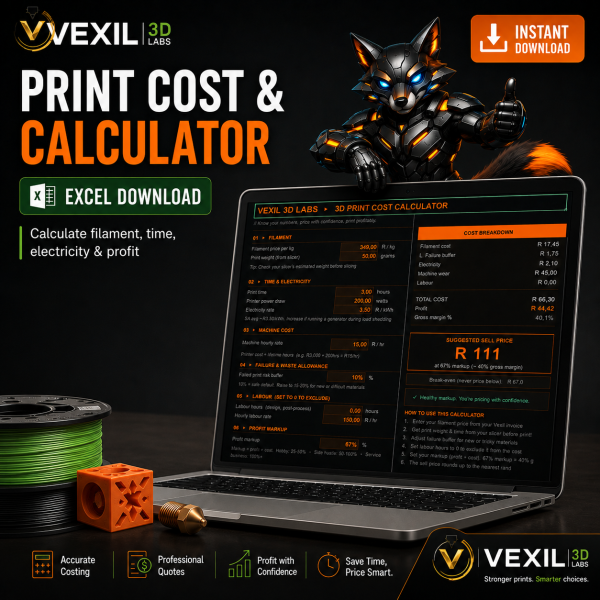
- Cost Calculator sheet: a single working sheet covering every cost input in one place
- Filament cost: works from spool price and weight to give an accurate cost per gram and per print
- Electricity cost: enter your own tariff and printer power draw — built around South African rates
- Machine wear and depreciation: spreads printer cost, nozzle and maintenance across print hours
- Labour and handling: accounts for setup, removal, support cleanup and post-processing time
- Failure allowance: builds a realistic scrap rate into the cost price instead of ignoring it
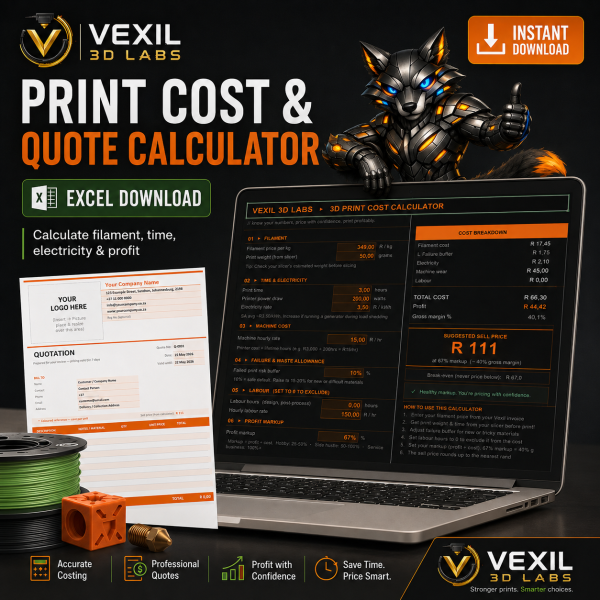
- Quote Sheet: a separate client-facing tab that pulls your costed pricing across automatically — add your client and job details and it is ready to screenshot, print or export to PDF
Also Includes
- Multi-job quoting: add multiple print jobs or line items to a single quote — useful for orders with more than one part or filament type
- Cost breakdown: see filament, electricity, machine wear and labour each as a percentage of your true cost price, so you can spot where to cut costs
- Margin summary: gross profit in Rand, gross margin percentage and markup on cost, all calculated automatically
- How to Use guide: a dedicated worksheet covering every input field in plain English, including South African notes on electricity tariffs and how to add your own branding to the quote sheet
How to Use
Download the file and open it in Microsoft Excel or a compatible spreadsheet application. Enter your values in the highlighted input cells on the Cost Calculator sheet — every other field calculates automatically. When you are ready to quote, switch to the Quote Sheet tab, fill in your client and job details, and your cost-based pricing carries across on its own. No macros, no subscriptions and no internet connection required.
Compatibility
Microsoft Excel 2016 or later is recommended. The file also opens in Google Sheets (upload via Google Drive) and LibreOffice Calc, though minor formatting differences may appear in non-Excel applications. PDF export works natively in Excel via File → Export → Create PDF/XPS.
Why Vexil 3D Labs?
Vexil 3D Labs is a South African 3D printer filament brand stocking ERYONE, Creality and SA Filament products locally — no waiting on international shipping. Tools like this calculator are part of how we support the South African maker and print-on-demand community beyond just selling filament.
Reviews
There are no reviews yet.